Last week I had the pleasure of presenting another iteration of my recent presentation on how the ideas behind Web design--specifically the use of iterative development based on analytics--can/will change the design and production of physical objects.
Video
Slideshare
Click through to the page on Slideshare and open the Notes tab to see the transcript synchronized with the slides.
Scribd
Designers-And-geeks 2012 Presentation 0.1
PDF
You can download a PDF with all the slides and transcript.
Transcript
Thank you Joe for inviting me tonight. As soon as I saw your logo, I knew I had to participate.
First, let me tell you a bit about my background. I'm a user experience designer. I was one of the first professional Web designers in 1993, where I was lucky enough to be present for the birth of such things as the online shopping cart and the search engine. This is the navigation for a hot sauce shopping site I designed in 1994.
I'm proud of the fact that 16 years later they were still using the same visual identity. These were some of the oldest pixels on the Web.
Here's one of my UI designs for the advanced search for HotBot, an early search engine, from 1997. If you're wondering why Google's front page is no minimal, I think it was because we were doing this.
Since then I've consulted on the user experience design of dozens, maybe hundreds of web sites. Here's one for credit.com, who were fantastic clients a couple of years ago.
I sat out the first dotcom crash writing a book based on the work I had been doing. It's a cookbook of user research methods. It came out in 2003 and the second edition just came out last month. Buy a copy for everyone on your team!
And 2001 I co-founded a design and consulting company called Adaptive Path.
I left the Web behind in 2004 and founded a company with Tod E. Kurt called ThingM in 2006.
ThingM is a micro-OEM and an R&D lab. We design and manufacture a range of smart LEDs for architects, industrial designers and hackers. Our products appear on everything from flying robots to Lady Gaga's stage show. This is an RFID wine rack that we did about four years ago. The different light colors represent different facets of information that's pulled down from a cloud-based service, such as current market price. This is a capacitive sensing kitchen cabinet knob we did two years ago. It glows when you touch it to creates a little bit of magic in your everyday environment and was an exploration in making a digital product that would still be useful 20 years after it was made.
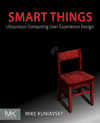
In 2010 I wrote a book on the user experience design of ubiquitous computing devices, which I define as things that do information processing and networking, but are not experienced as general purpose computing or communication devices.
I also organize an annual summit of people developing hardware design tools for non-engineers.
However, ThingM, books and conferences are not my day job. They're entertaining sidelines. My primary day job is as an innovation and user experience design consultant focusing on the design of digital consumer products. Here are some I've worked on for Yamaha, Whirlpool and Qualcomm.
The last couple of years my clients have been large consumer electronics companies. I've worked with them to design new products and services and to help them create more user centered and company cultures. I can't give you any details, but I'll tell you that big data analytics, real- time image recognition, distributed processing, and machine learning are pretty awesome.
This spring I finally got to do a project I can talk about. I worked with Sifteo, the game company, to design all of the non-game UX of their second generation platform. It was a great project. Stock up on these for Christmas.
Let me start with a little history of manufacturing efficiency. Now this is only barely history, since I'm not a historian, but I've been reading about the history of technology for a couple of years and I came up with this model for understanding several trends in manufacturing, and I think it has some face validity.
If you look at how many things you could produce from one unit of work, you see an interesting curve. For most of the last ten thousand or however many years, when you put one unit of work into a project, you got roughly one thing out of it. I realize "a unit of work" is somewhat imprecise, but bear with me. During this period you see some gains in efficiency through tools like the potter's wheel, the plow, the horse, the lever, fire, but those efficiencies were, roughly speaking linear. No one had the capability to make 10,000 cooking pots in a day. Then this thing happens. James Watt's patent on the improvement to Newcomen's steam engine expires in 1800. Boom. The Industrial Revolution. Exponential growth in the efficiency of production. 10,000 cooking pots a day is easy. That's followed by steady increases in efficiency until we get to today's industrial society.
OK, that's fairly familiar. Now, let's look at a related curve, the number of units of work to make the FIRST thing. Making the first thing of any set is hard. You become efficient later on, but the first time is not efficient. For most of history, that's about one unit of work. And the funny thing about the Industrial Revolution is that as it made it much easier to make many things, it made it much harder to make that first thing. Mass produced objects are really complex, they require you to make the tools that make the tools that make the end product. It's no longer a process that a single person, or even a small workshop, can even afford to do time, money, or knowlege-wise. It requires a lot of expertise to be acquired and then consolidated into a single geographic location. Here is our familiar experience of manufactured products: pick nearly everything you own or see and it's almost impossibly complex for you to make one.
And then this other thing happens. In October 2009 Stratasys' core patent on computer controlled additive manufacturing expires. Boom. The cost of making the first thing starts to plummet while the cost of making lots of things stays the same. The relationship between these two trends is what makes what I'm about to tell you about possible.
That's where this comes from.
Imagine Amazon 8 years from now. It looks like this. Yes, it looks exactly like the Amazon today. It has all of the familiar ways to discover new products, to compare them, to see what people think of them, to see what goes with what. It has wish lists, Gold Boxes, the whole thing. But there's a crucial difference. Instead of Amazon being the front end to a fulfillment system, as it is today, the Amazon of 2020 is the front end to a set of factories.
The back end doesn't look like UPS, but Ford Motor Company. When you click on on buy you start a manufacturing process at the factory nearest you, instead of a delivery process from a warehouse far away.
River Rouge photo by Lotus Carroll, creative commons http://www.flickr.com/photos/thelotuscarroll/6695794423/
I know what you're thinking: "Mike just saw a MakerBot and got all excited. We've heard this all before, it's called mass customization, and it's never worked out." Why talk about this again? Because I think that the presentation of mass customization as "configurators for everything" (such as this 1998 project from Levi's) missed the point. That totally gets the user motivation wrong: most people don't want to be designers of everything, they want to design a couple of things, but be consumers of the rest. Some people want to make their own clothes, but those people typically don't build their own cars, and vice versa. Most people have better things to do than figure out what colors and patterns look good together, what makes them look sexy or powerful, how much firmware will fit into the onboard memory. They're busy. They want someone who is a professional to do that research, to think really hard about what they need, to be really fluent in the tools that make it good, then to create a solution.
I'm also not talking about desktop manufacturing. As much as all us geeks want a Star Trek replicator, it's not that useful in practice. We just don't need that much new stuff all the time. Paper printers are useful because they represent high density information that fits into a rich existing culture of information use, and even they're not used nearly as much as ecommerce sites. Outside of work, people probably shop a lot more than they print.
I think more importantly, both mass customization and desktop fabrication imagine a new world that's different than ours. I have nothing against envisioning new worlds and working toward their creation--that's one of the things I do for my clients--but my experience has taught me that creating new worlds, changing the behavior of millions of people, is really hard and takes a really long time. If we look to a world 8 years into the future, odds are that it's not going to have changed that much, the odds are that most of us are not going to have a whole bunch more time on our hands to become mechanical engineers, electrical engineers, software engineers, and material scientists, as much as we'd like to.
Makerbot photo by Scott Beale
2020 will actually probably look and works exactly like our world today, when seen from the outside. It'll still be driven by the thrill of finding something awesome when you're bored surfing the Internet and then making it yours by buying it. The relationship between the consumer and designer will remain intact. Designers still design, ecommerce sites still help people find stuff they like, people still buy.
However, there will be a crucial difference behind the scenes, and it will be this difference that changes our world from one of centralized warehouses to a world of distributed factories.
The difference is analytics. When you order from the Amazon of 2020 a counter is incremented that registers that you, a human being with a set of well-known behaviors and a demographic background, decided to buy this specific version of this specific idea. Moreover, since the world of 2020 is a world of ubiquitous computing, every product has a small bit of digital hardware in it that tracks how the product is used and, with your implicit permission, sends that information back to a central server, which aggregates and anonymizes the results.
This is of course exactly how large-scale Web design works, but now we will map it to all products.
When you have rapid, cheap, distributed low-volume manufacturing capability AND real-time analytics you have a new way of designing products. You can take those Industrial Age design processes that took years to test hypotheses, and you can speed them up by orders of magnitude.
Image: http://commons.wikimedia.org/wiki/File:Tailfins- evolution-1957-1959.jpg
Tight loop iteration between an idea and market validation of that idea is the core of Eric Ries' Lean Startup approach. This is a slide from Steve Blank, who is the patron saint of Lean Startup, that illustrates this basic idea.
My vision--MY hypothesis--is that it's possible to do this with ANYTHING by applying the ideas, practices and technologies we developed for the Net to everything else.
Let's start by assuming we have low volume digital manufacturing, such as this Form1 printer that just got funded through Kickstarter. We know that's coming.
The next piece is hypothesis testing. How do you validate your idea without investing a lot in manufacturing? Well, that component is also coming online.
Even though they sometimes deny it, Kickstarter is a catalog for products that don't exist yet. It gives developers feedback about the popularity of their idea and teaches them how to position it for a market before they've made a single final product. It provides two kinds of hypothesis testing: do people even want your idea? and what do they say they want it for?
Etsy allows very small run electronic products (as long as they're made of felt).
Even fab.com, which sells limited-edition high design products like rugs and backpacks, sells small run electronics.
Here's a new store opening on Valencia in about a month called Dijital Fix. They are a New York-based boutique specializing in limited-run electronics.
These channels are immature, but they're becoming increasingly popular. In effect, they're doing an end run around the traditional consumer electronic sales channels--at the same time that Dijital Fix is opening new stores Best Buy is struggling--and giving developers direct access to their customers so they can test their product hypotheses directly.
This is bringing product development closer to what we've become accustomed to when deploying software on the Web.
The key missing piece we still need to borrow from software is distributed collaborative design tools. To make better hypotheses we need to be able to take advantage of all of those specialized skills--all the different kinds of engineering--wherever they are, and to work together to create a shared understanding of what that hypothesis, that product, is.
For purely digital products we have Github, Basecamp, WebEx, Balsamiq and similar products, but the physical world is way behind. Commercial CAD systems are huge and incredibly difficult to learn. Product Lifecycle Management systems assume that you're always building a commercial airplane, and are also insanely complex.
We are getting new tools, Autodesk's 123D, Ponoko has publishing tools, you can kind of fork projects on Thingiverse. But these tools are really immature.
Sunglass just pivoted a couple of weeks ago from being an online CAD system to being a "Github for 3D." When these products mature, this is going to open creative possibilities immensely.
But it's going to take time. Github got to where it is through an evolution of tools and practices that began with makefiles. The physical world isn't even at the makefile stage.
To me, the whole ecosystem looks like this. Here come the buzz words, so excuse me in advance.
• Digital fabrication, we know what that is. It will allow us to make all kinds of things in small batches.
• Ubiquitous Computing and the Internet of Things is leading to everyday objects that send a stream of telemetry when we bring them home. They have an information shadow in the cloud that can be data mined.
• Big Data Analytics crunches all of that data to create information about people's behavior.
• Social commerce creates sales channels that sell small numbers of products by finding niche markets and letting them market to each other
• And finally, cloud-based design tools will allow designers and engineers to collaborate on the distributed development of physical products.
This is my ecosystem vision: a world where design directly drives product creation, and where data informs design. This is a world where products are made in small numbers
I intend to make this vision my next focus as a designer and entrepreneur. At ThingM we just did the first iteration on Kickstarter of a product we hope will become different and more interesting as we iterate on it. It's the world's best indicator light. It's a highly configurable USB LED and it gives you peripheral awareness of things that are happening on the Net and your local machine. You can pre- order one from us today.
However, I don't expect that we will be able to do all of this by ourselves.
I need your help: tell me what I don't know, where I'm wrong. Tell me who I should talk to and where the opportunities are.
I think this will change the world. I want to change the world. Interested? Talk to me.
Thank you.